How to share a prayer request in Faithvine
Share a prayer with your friends, your small group, or keep it just between you and God. You choose who sees it, and you can follow it all the way to the answer.
Write and share Create
Everything on the Create screen, top to bottom.
- 1
Tap +
Tap + on Home, or on Prayers and choose New Prayer or New Praise. On a group’s page, + opens Create with that group already chosen. At the top of Create, pick 🙏 Prayer for a request or 🙌 Praise to thank God for something.
- 2
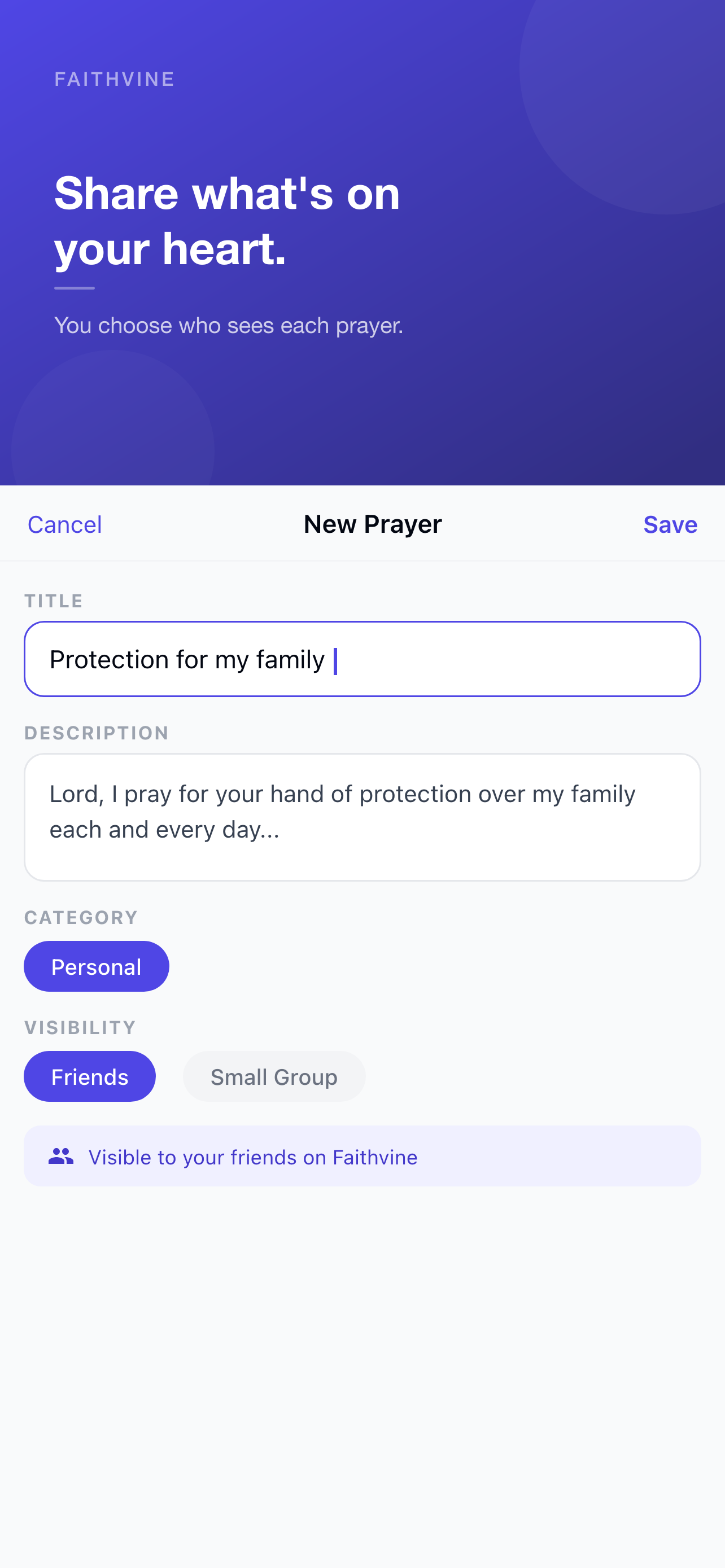
Write a title and details
The title is the short version people see first, like “Healing for my father”. Underneath, add details so others know how to pray, such as the date of a surgery or what you’re waiting on. Details are optional.
- 3
Choose who can see it
Under Share with, pick Only me to keep it private, or choose Friends and any of your groups. You can pick several. Each place gets its own conversation, so a group only sees comments from its own members.
- 4
Set a reminder (optional)
Tap Remind me about this prayer and choose Every day or On a date, like the day of an interview. Only you get the reminder. Daily reminders for all your prayers are in Settings → Reminders.
- 5
Post it
Tap Ask for Prayer. If you chose Only me, the button says Save Prayer and no one is notified.

Follow it to the answer After
Prayer is rarely a straight line. Faithvine keeps the whole story.
- 6
Update its status
Open your prayer and tap Update Status: Praying, Trusting, Confused, Beginning to Understand, Answered Differently, Answered, or Mystery. Add a short note if you like. Everyone it’s shared with sees the update in the timeline.

- 7
Change who can see it
Tap ⋯ → Change who can see this to share it with another group or remove it from one. The group where you first posted it is marked Original. Removing a group hides the prayer from that group; nothing is deleted.
- 8
When God answers
Set the status to Answered. Everyone it’s shared with sees the update, and each group shows it under 1 answered this week on the group page. To tell the story, share a praise: tap + and choose 🙌 Praise, or when Faithvine checks in on a quiet prayer, tap It was answered! and then 🙌 Share it as a praise.

- 9
Pray for others
On a friend’s prayer, tap Add to Prayer Log. It appears in your Prayers tab with every update, so you can keep praying until it’s answered.


Share your first prayer today
Faithvine is free on iPhone and Android.
Leading a group? Read the group tutorial, or keep going with How to keep a prayer journal.