How to use prayer groups in Faithvine
Everything you need to run a prayer group for your church, small group or Bible study: create it, invite people, approve who joins, and keep praying together all week. Members' steps are further down.
Set up your group Leaders
For the group owner and admins.
- 1
Create your group
Open Community, switch to Groups and tap +. Give the group a name your members will recognise, like "Tuesday Bible Study", and an optional description. You become the group owner.
- 2
Invite your members
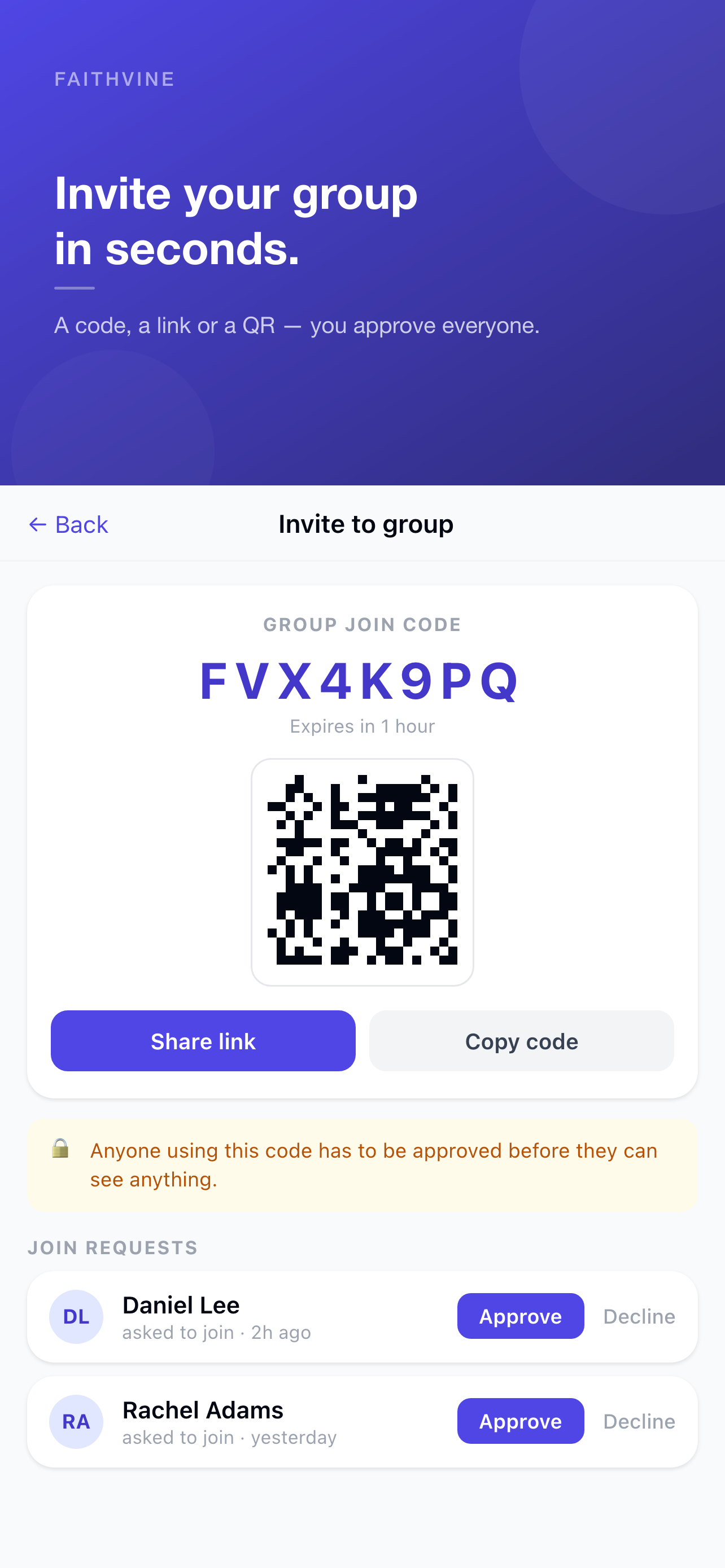
Open the group and tap Info & Members, then Share Code & Link. You get one invite in three forms: a link to paste into your church group chat, a code to read out loud, and a QR code to show on a screen. To invite someone who is already on Faithvine, tap Invite Friends and search for their name.
- 3
Approve who joins
Everyone who uses the link, code or QR asks to join, and you approve each person. A forwarded link never lets a stranger in. When someone is waiting, the group shows a red dot: open Info & Members and tap Approve or Decline under Join Requests.
- 4
Add admins to share the load
On Info & Members, tap ⋯ next to a member and choose Make admin. Admins can approve requests, remove members, edit the group and manage the invite code. Only the owner can add or remove admins.
- 5
Keep your invite safe
In Share Code & Link, tap New code to choose when the code expires. The old link, code and QR stop working straight away. You can also Turn off link sharing whenever you like; current members are not affected.


Tip for Sunday: in Share Code & Link, tap Show QR code and hold up your phone, or use Save or share QR code to put it on a slide. The code sits right above it for anyone who can't scan.
Pray together Members
For everyone in the group, leaders included.
- 6
Join a group
Tap the link your leader sent, or open Community → Groups → Join and type the 8-character code. New to Faithvine? Install the app and sign up, then tap the link again or type the code. Your leader approves the request, then the group appears in Community.
- 7
Share a prayer with the group
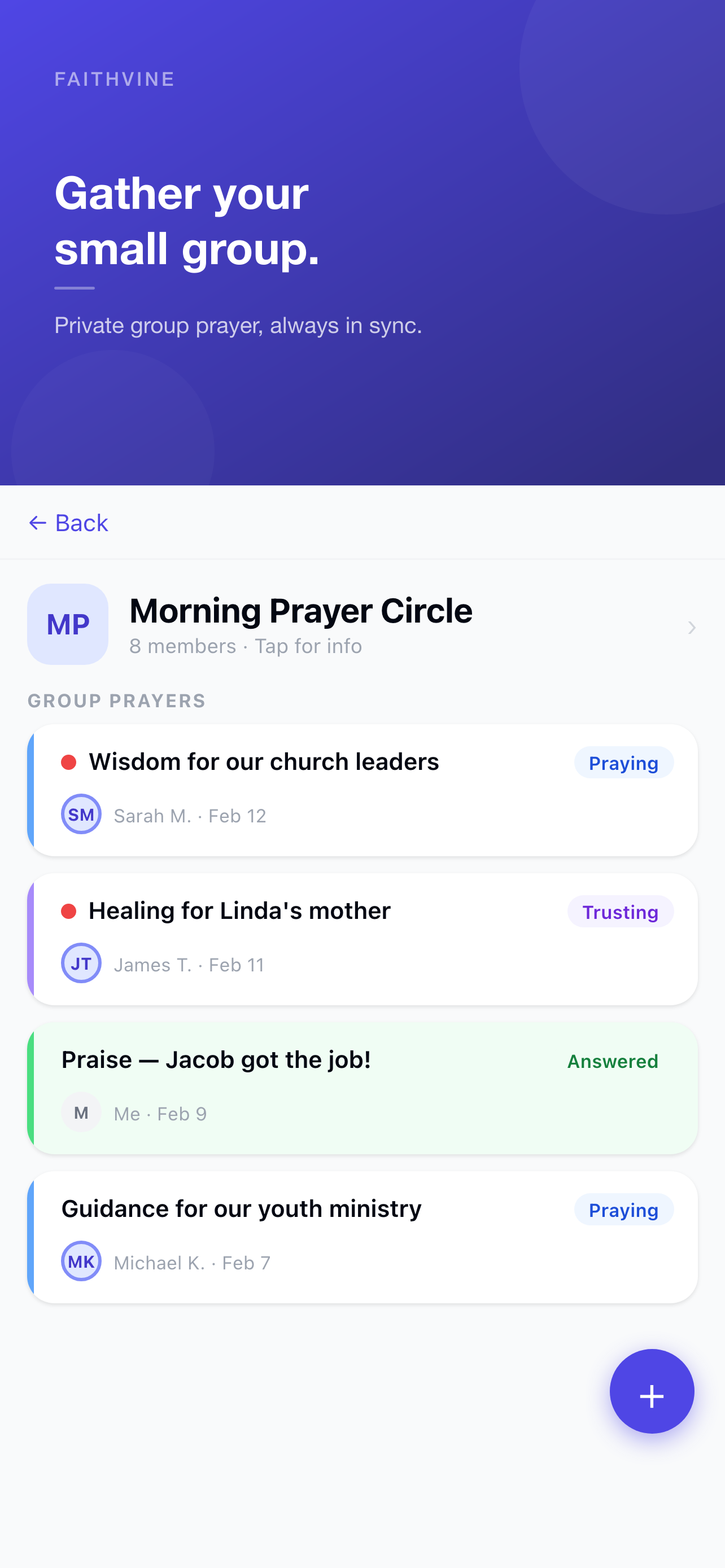
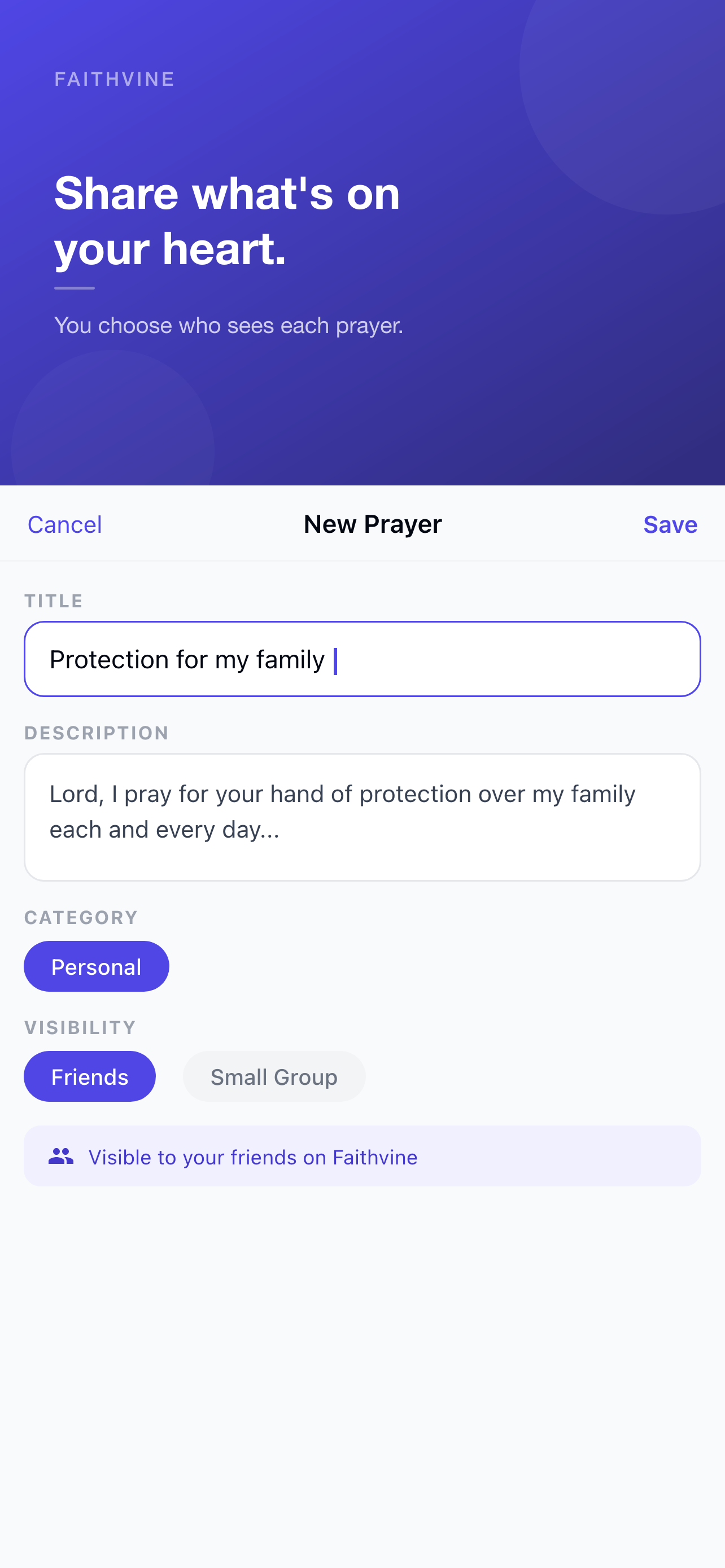
Tap +, write your request and, under Share with, pick the group. You can choose your friends and several groups at once, so you never post the same request twice.
- 8
Encourage each other
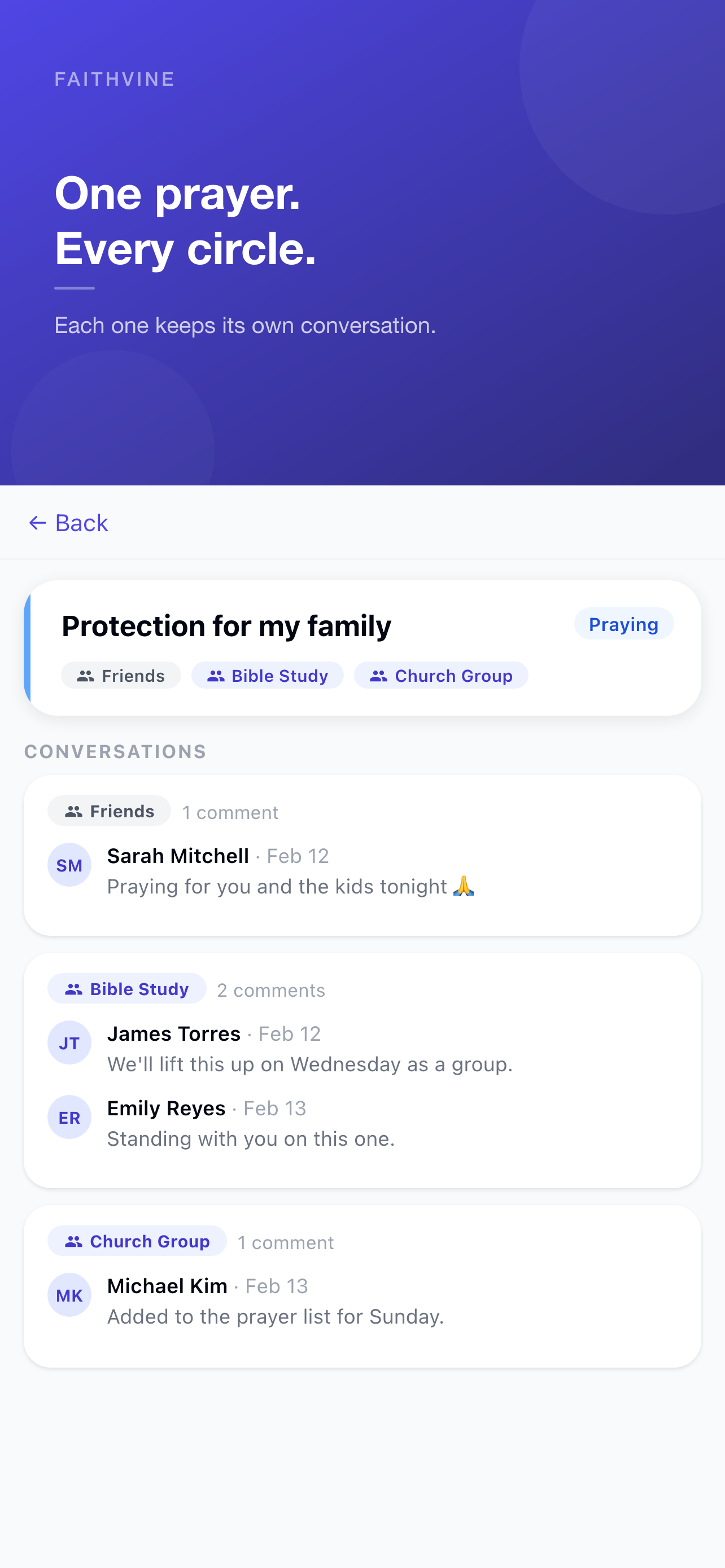
Open any prayer in the group and write a comment. Comments stay inside that group: if a prayer is shared with two groups, each group has its own conversation, and only the author sees both.
- 9
Mute a busy group
Tap the 🔔 at the top of the group to stop its notifications. You still see everything in the app, and @mentions and join requests still reach you.


Start your prayer group today
Faithvine is free on iPhone and Android.
Want the bigger picture? Read How to start a prayer group for your church, or browse all guides.